

Sacha Chua
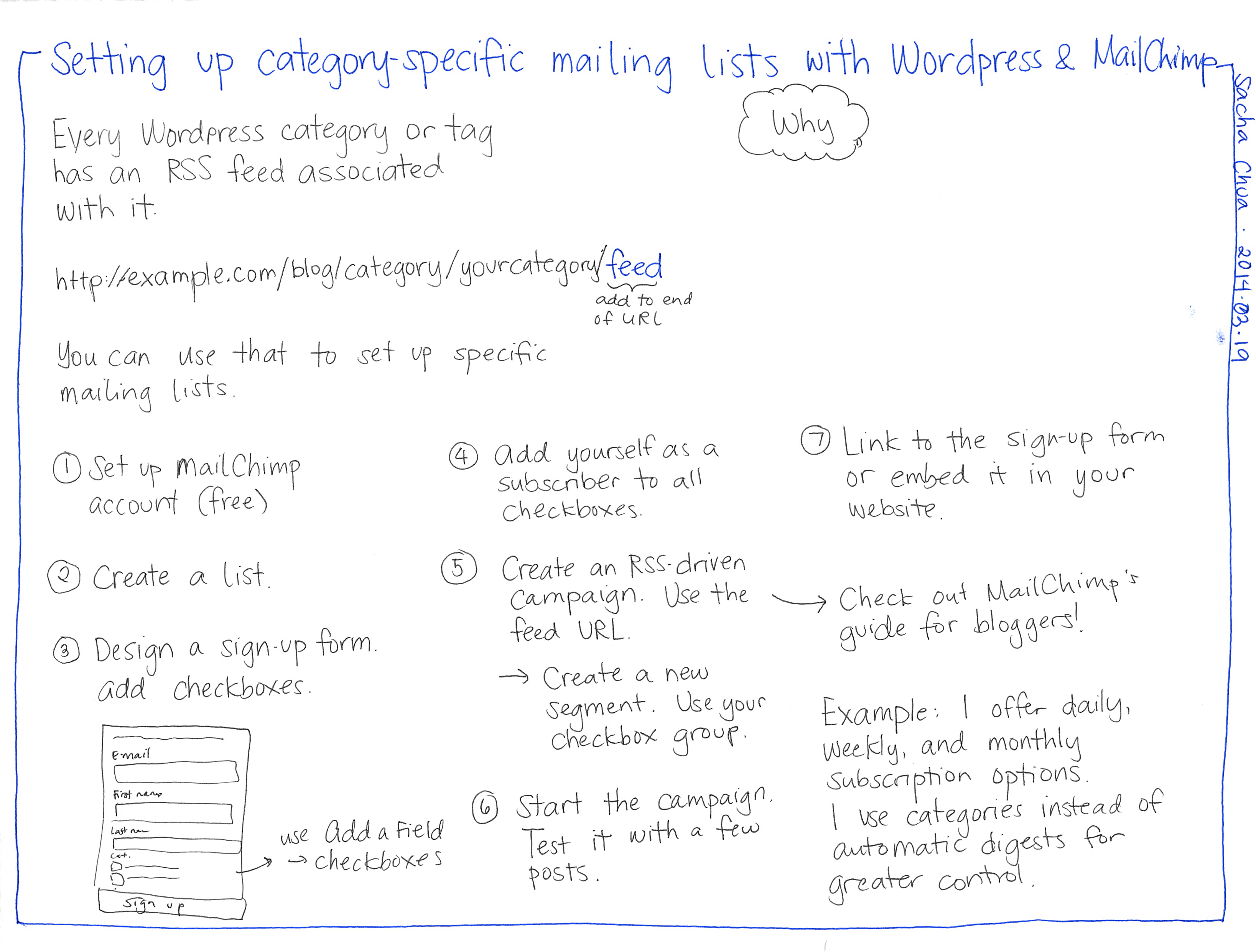
2014.03.19 Setting up category-specific mailing lists with Wordpress & MailChimp- Every Wordpress category or tag has an RSS feed associated with it. http://example.com/blog/category/yourcategory/feed You can use that to set up specific mailing lists. ① Set up MailChimp account (free) 2 Create a list. 3 Design a sign-up form. add checkboxes. E-mail First name Last na Cat. Sign up use Add a Field checkboxes add to end of URL ④ Add yourself as a 1) 5 Subscriber to all checkboxes. Create an RSS-driven Campaign. Use the feed URL. Create a new Segment. Use your checkbox group. ⑥Start the campaign Test it with a few posts. Why Link to the sign-up form or embed it in your website. → Check out MailChimp's guide for bloggers! Example: I offer daily, Weekly, and monthly Subscription options I use categories instead of automatic digests for greater control.